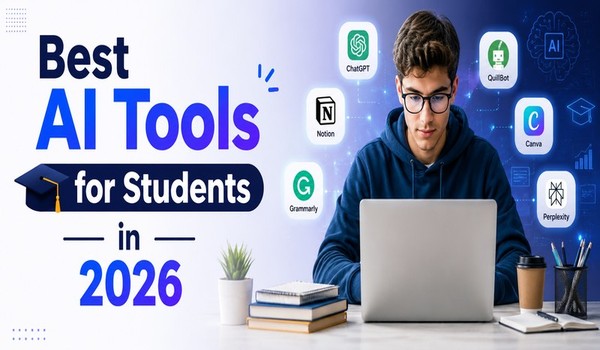
Artificial Intelligence (AI) has transformed the way students learn, research, write, and organize their academic work. From generating study notes to solving complex math problems, AI tools can save time, improve productivity, and help students achieve better results. Whether you’re a high school student, college learner, or pursuing higher education, the right AI tools can become your personal study assistant.
In this guide, we’ll explore the best AI tools for students in 2026, their key features, and how they can help you excel academically.
Why Students Should Use AI Tools
Students often struggle with managing assignments, taking notes, conducting research, and staying organized. AI tools simplify these tasks by automating repetitive work and providing instant assistance.
Benefits of AI tools for students include:
- Faster research and information gathering
- Improved writing and grammar
- Better note-taking and organization
- Enhanced productivity and time management
- Personalized learning support
- Assistance with problem-solving and calculations
However, students should use AI responsibly and avoid relying on it to complete assignments dishonestly.
1. ChatGPT
ChatGPT remains one of the most popular AI tools for students. It can answer questions, explain difficult concepts, summarize lengthy articles, and assist with writing projects.
Key Features:
- Homework assistance
- Essay brainstorming
- Research summaries
- Language learning support
- Coding help
- Study guides and flashcards
Best For:
Students who need a versatile AI assistant for everyday academic tasks.
Example Use:
A student studying biology can ask ChatGPT to explain photosynthesis in simple terms or create practice quiz questions.
1. ChatGPT
Pros
- Excellent for explaining difficult concepts
- Helps with brainstorming essays and projects
- Can generate study notes and practice questions
- Supports multiple subjects and languages
- Available on web and mobile devices
Cons
- May occasionally provide incorrect information
- Advanced features require a paid plan
- Not a substitute for academic research
- Some schools restrict AI-assisted work
2. Grammarly
Writing assignments are a major part of student life, and Grammarly helps improve grammar, spelling, punctuation, and clarity.
Key Features:
- Grammar correction
- Style suggestions
- Tone analysis
- Plagiarism detection
- Sentence rewriting
Best For:
Students who write essays, reports, research papers, and emails regularly.
Example Use:
Before submitting an essay, students can use Grammarly to eliminate errors and improve readability.
Pros
- Improves grammar and spelling instantly
- Enhances clarity and readability
- Detects tone and writing style issues
- Easy browser integration
Cons
- Premium features can be expensive for students
- May suggest unnecessary changes
- Plagiarism checker requires a paid subscription
3. Notion AI
Notion AI combines note-taking, project management, and AI-powered assistance in one platform.
Key Features:
- Automatic note summaries
- Task management
- Content generation
- Study planning
- Research organization
Best For:
Students managing multiple subjects, projects, and deadlines.
Example Use:
Students can organize lecture notes and generate concise summaries for quick revision.
Pros
- Combines notes, tasks, and AI assistance
- Excellent for project management
- Generates summaries and study guides
- Highly customizable
Cons
- Learning curve for beginners
- Some AI features require payment
- Can become cluttered with large projects
4. Perplexity AI
Perplexity AI is an AI-powered search and research assistant that provides direct answers with source references.
Key Features:
- Accurate research assistance
- Source citations
- Follow-up questions
- Quick information retrieval
Best For:
Students conducting academic research and fact-checking information.
Example Use:
A student writing a history paper can quickly gather information from multiple sources without spending hours searching online.
Pros
- Provides source-backed answers
- Fast research assistance
- Easy-to-understand responses
- Great for fact-checking
Cons
- Some advanced features are paid
- Sources may not always be academic
- Less creative than some AI chatbots
5. Quizlet AI
Quizlet has become a favorite learning platform among students thanks to its AI-powered study features.
Key Features:
- Flashcards
- Practice quizzes
- Learning games
- AI-generated study sets
- Exam preparation tools
Best For:
Memorization-based subjects such as biology, medicine, history, and languages.
Example Use:
Students can create flashcards from class notes and test themselves before exams.
Pros
- Excellent for memorization
- Interactive learning modes
- Large library of study sets
- Mobile-friendly
Cons
- Limited free features
- Quality depends on user-created content
- Less effective for analytical subjects
6. Otter.ai
Taking notes during lectures can be challenging. Otter.ai helps students capture important information automatically.
Key Features:
- Real-time transcription
- Meeting and lecture recording
- Searchable notes
- Automatic summaries
Best For:
Students attending online or in-person lectures.
Example Use:
Students can focus on listening during lectures while Otter.ai records and transcribes key points.
Pros
- Automatically records lectures
- Accurate speech-to-text conversion
- Searchable notes save time
- Useful for online classes
Cons
- Accuracy can drop with background noise
- Free plan has usage limits
- Requires internet for best performance
7. Wolfram Alpha
Wolfram Alpha is a powerful computational knowledge engine widely used by students studying mathematics, engineering, and science.
Key Features:
- Step-by-step solutions
- Mathematical calculations
- Scientific data analysis
- Formula explanations
Best For:
STEM students who need help with complex calculations.
Example Use:
Students can solve algebra, calculus, statistics, and physics problems with detailed explanations.
Pros
- Excellent for math and science students
- Provides step-by-step solutions
- Supports advanced calculations
- Reliable academic resource
Cons
- Limited usefulness outside STEM subjects
- Interface may feel complex
- Some educational features are premium
8. Canva AI
Canva AI helps students create visually appealing presentations, infographics, and academic projects.
Key Features:
- AI-powered design tools
- Presentation templates
- Image generation
- Video editing
- Infographic creation
Best For:
Students preparing presentations and creative assignments.
Example Use:
A student can create a professional-looking class presentation in minutes.
Pros
- Creates professional presentations quickly
- Easy drag-and-drop editor
- Large template library
- Great for visual projects
Cons
- Premium assets require payment
- Internet connection needed
- AI-generated designs may need editing
9. Google Gemini
Google Gemini integrates AI capabilities with Google’s ecosystem, making it useful for research and productivity.
Key Features:
- Research assistance
- Document creation
- Productivity tools
- Educational support
Best For:
Students already using Google Workspace for school projects.
Example Use:
Gemini can help organize research information and draft project outlines efficiently.
Pros
- Integrates with Google Workspace
- Strong research capabilities
- Helpful for document creation
- Easy to access for Google users
Cons
- Responses may vary in quality
- Some features depend on Google ecosystem
- Advanced capabilities may require a subscription
10. Elicit
Elicit is designed specifically for academic research and literature reviews.
Key Features:
- Research paper discovery
- Literature reviews
- Academic summaries
- Evidence-based answers
Best For:
College and university students conducting scholarly research.
Example Use:
Students writing dissertations or research papers can quickly identify relevant studies and key findings.
Pros
- Designed specifically for academic research
- Helps discover scholarly papers
- Saves time during literature reviews
- Evidence-based answers
Cons
- Best suited for higher education students
- Limited usefulness for everyday homework
- Advanced features may require payment
How to Choose the Right AI Tool
Not every student needs every AI tool. The best option depends on your goals.
Choose ChatGPT for:
- General academic assistance
- Homework help
- Concept explanations
Choose Grammarly for:
- Writing improvement
- Essays and reports
Choose Quizlet for:
- Exam preparation
- Memorization
Choose Otter.ai for:
- Lecture note-taking
Choose Wolfram Alpha for:
- Mathematics and science subjects
Choose Canva AI for:
- Presentations and visual projects
Choose Elicit or Perplexity AI for:
- Research and academic writing
Tips for Using AI Responsibly
AI tools should enhance learning rather than replace it.
Follow these best practices:
- Verify information from reliable sources.
- Avoid submitting AI-generated work without reviewing it.
- Use AI as a learning assistant.
- Follow your school’s academic integrity policies.
- Combine AI insights with your own critical thinking.
Students who use AI ethically can gain a significant advantage while still developing essential skills.
AI technology is reshaping education and helping students learn more efficiently than ever before. From writing assistance and research support to note-taking and exam preparation, modern AI tools can save time and improve academic performance.
The best AI tools for students in 2026 include ChatGPT, Grammarly, Notion AI, Perplexity AI, Quizlet AI, Otter.ai, Wolfram Alpha, Canva AI, Google Gemini, and Elicit. Each tool serves a unique purpose, and combining several of them can create a powerful study system.
As AI continues to evolve, students who learn how to use these tools effectively will be better prepared for academic success and future careers.